Ask your projects data anything. Get answers in seconds. Plexa MCP Connector is live. See it in action
/
SWMS & Permits to Work
SWMS software, permit to work and JSA in one workflow
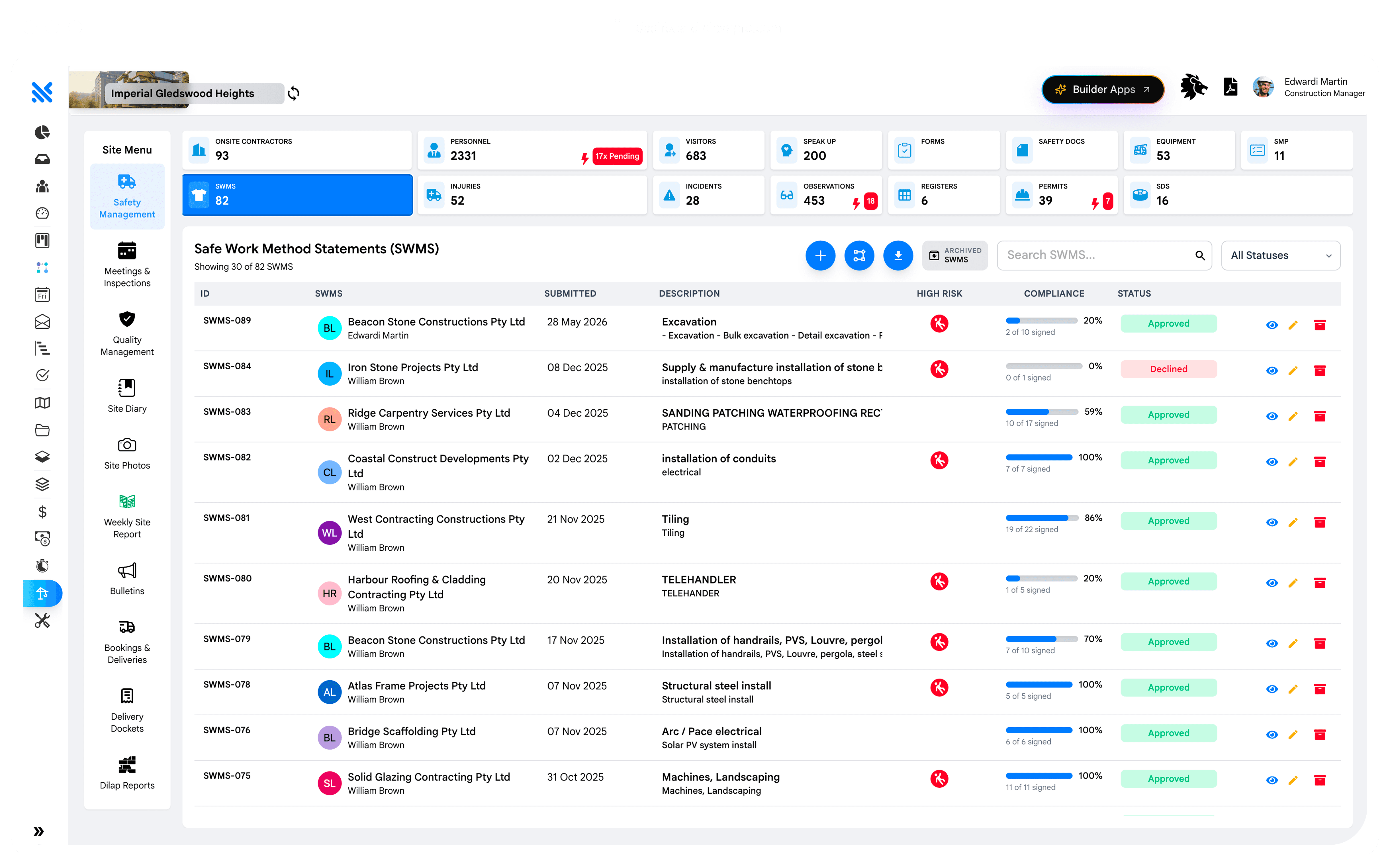
Build the SWMS in-platform. Raise permits on the day. Link the JSA to the daily task. Site access blocked at the gate for any worker without a signed SWMS.

Review checklist enforced
Every checklist item Yes/N/A before Approve is active. No blank items.
SMS signing reminders
Send SMS to unsigned workers with a direct link to sign from their phone.
Gate-blocked without signature
No signed SWMS for the trade, no entry through the turnstile.

THE PROBLEM
The paper SWMS on the wall vs the digital SWMS at the gate.
A paper SWMS lives in a folder in the site office. Workers sign the front page. Nobody reads the actual document. When an incident happens, it turns out three workers signed for a SWMS that didn’t cover the activity they were doing.
A Plexa SWMS is signed digitally by each worker before their first shift on the task. Site access is blocked until they sign. When the SWMS is updated, they re-sign. The link between the SWMS and the actual work is unbreakable.
SWMS signed on mobile. Access enforced at the gate
The worker signs the SWMS on their phone at 6am. The turnstile lets them through at 6:30am. When the SWMS is updated at 10am, they re-sign before their next shift. The link between the document and the work is unbreakable.
FAQ
Quick answers: everything you need to know about SWMS, permits and JSA
What is a SWMS in construction?
What's the difference between a SWMS and a JSA?
Who can upload a SWMS?
How are permits different from SWMS?
What happens when a SWMS is updated?
Can we generate a SWMS compliance report?



The AI Construction Operating System
One platform, one data model, every project. Built in Australia, for the world.
YOUR DATA, PROTECTED
Hosted on AWS Sydney with Australian data residency.


GET THE MOBILE APP
Platform
Solutions
© 2026 Plexa Pro Pty Ltd. ABN 63 668 433 136