Ask your projects data anything. Get answers in seconds. Plexa MCP Connector is live. See it in action

/

Scope Builder AI

/ Scope Builder AI

AI-drafted scopes of work in minutes, not days
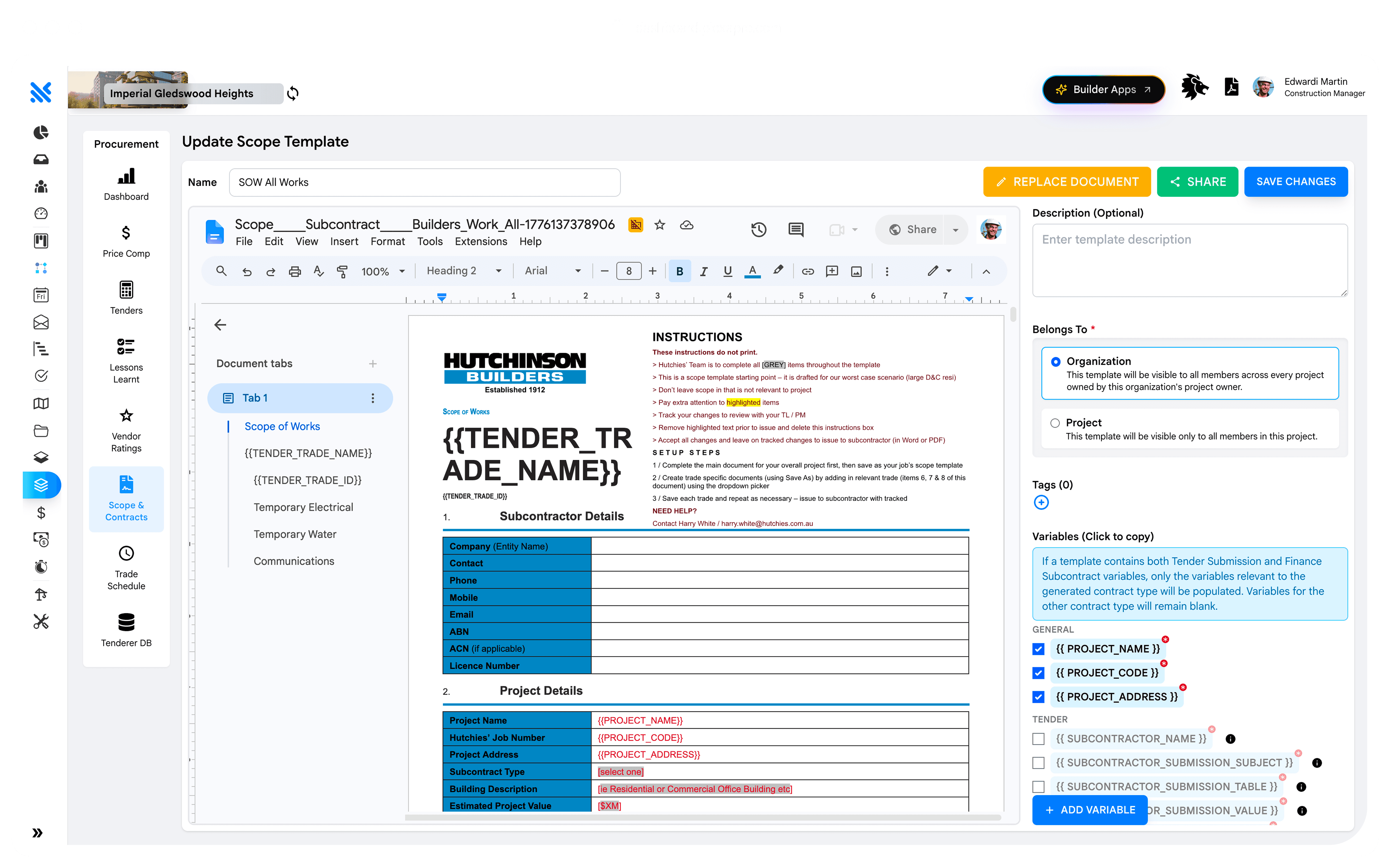
Upload your drawings and specifications. Plexa's AI reads them and drafts the scope of work for each trade package. Your CA reviews and refines, instead of writing from scratch.

Enter your start-on-site date. Every tender milestone across every trade populates automatically from your organisation's lead time settings. Weeks of scheduling in seconds.

Built for how instructions actually move on a project

Built for how instructions actually move on a project

Reads your docs

Scans the drawings, specs and any prior scope templates already on the tender.

Days to minutes

First-draft scope generated in under five minutes. CA reviews, refines and approves.

Trade-aware

Draft matches the trade type and your organisation's scope template, not a generic filler.

THE PROBLEM

A senior CA spends three days writing the scope of work for one trade package

Reading the drawings. Cross-referencing the specifications. Extracting inclusions and exclusions. Aligning to the head contract. Formatting to the organisation's template. It's the highest-value work in procurement and it's the biggest bottleneck.

Plexa reads your project documents and drafts the scope in minutes. The CA reviews, refines and approves. A three-day task becomes a two-hour one.

An email tender is a PDF, a schedule of quantities, a scope in a Word doc and a reply-all thread. Every contractor prices differently. Every question adds an addendum. Comparison at close is guesswork.

A Plexa tender pack is a single record: scope, drawings, returnable schedule, addenda, Q&A, all versioned, all sent to every tenderer at once, all comparable at close.

Watch the scope draft itself

A live demo. Project documents on the left. AI-generated scope of work on the right. From upload to reviewable draft,

under five minutes.

See where every trade package sits on every project. Flag the ones about to miss a milestone. Nothing slips because nobody was watching.

FAQ

Quick answers: everything you need to know about programme and scheduling in Plexa.

What is a construction O&M manual?

What documents belong in an O&M handover pack?

How does Plexa help avoid the PC-week scramble?

Can we export the O&M pack to the client's DMS?

What happens if a subcontractor doesn't submit their O&M documents?

Does Plexa support handover for private and government clients?

See it running on
Your Projects

Flat pricing, $99 per user per module.
Subcontractors always free.

Book a 20-minute walkthrough with a Plexa consultant.

Construction site manager in a hi-vis vest reviewing drawings on a tablet, framed in a chevron shape against a multi-storey building under construction.