Ask your projects data anything. Get answers in seconds. Plexa MCP Connector is live. See it in action
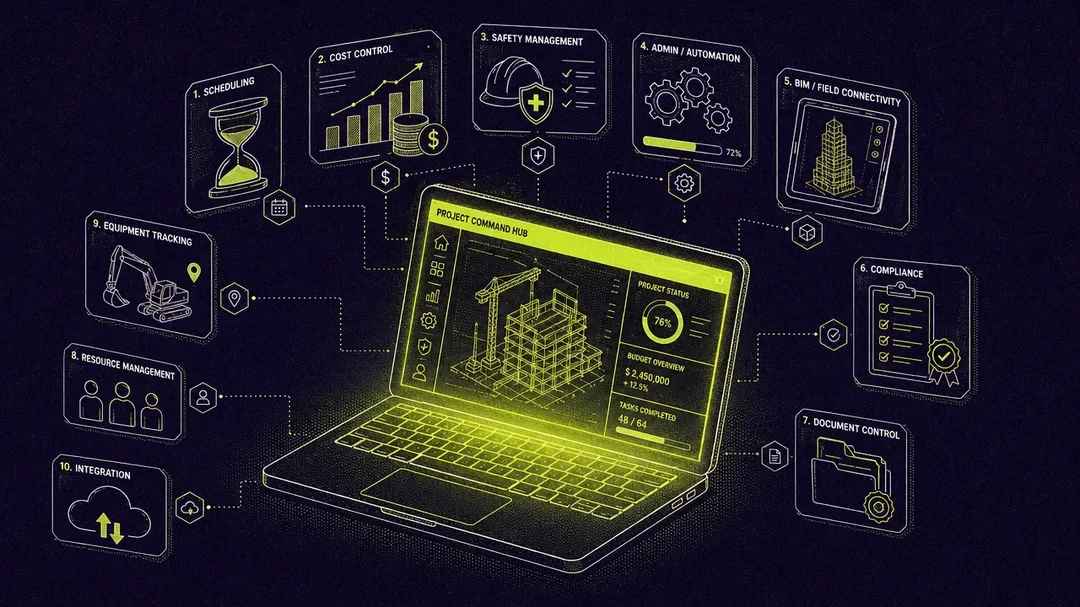

Top 10 construction management platforms in 2026
The construction industry is worth $15.5 trillion but still runs on fragmented tools and razor-thin margins. We evaluated the leading construction management platforms for 2026 and ranked them on what actually matters.
Select Hub
Tech & Innovation
Here's a number that should make every construction professional uncomfortable: 85% of projects go over budget. Not some projects. Not just the complex ones. Eighty-five percent.
The global construction industry is worth $15.5 trillion. Average EBIT margins sit around 5%. Productivity growth has crawled at just 1% per year for two decades, while manufacturing has grown at 3.6% over the same period.
McKinsey (Reinventing Construction: A Route to Higher Productivity) estimates the gap between where construction productivity is and where it could be represents $1.6 trillion in unrealised value. Every single year.
And yet, walk onto most job sites in 2026 and you'll still find teams juggling spreadsheets, email chains, WhatsApp groups, and three different apps that don't talk to each other.
A PMI study (The high cost of low performance: the essential role of communications) found that poor communication alone causes a third of all project failures, with professionals burning 14 hours a week chasing information, fixing mistakes, and putting out fires that better systems would have prevented.
The right platform changes everything. Not by adding another tool to the pile, but by replacing the pile entirely.
We evaluated the leading platforms across integration depth, financial visibility, field usability, safety, scalability, and time to value. Here are the ten worth knowing about.
How we evaluated
We scored each platform across six criteria that determine whether a tool actually gets adopted or quietly abandoned after three months:
Integration depthDoes it genuinely connect project management, financials, documents, safety, and site operations? Or is it a collection of modules held together by hope and API calls? | Field-to-office connectivityCan your site manager update a diary, log an incident, and check a drawing from their phone standing on a slab with one bar of signal? | Financial visibilityCan you see real-time cost performance without exporting to Excel? Construction is a margin business. If you can't see your numbers live, you're guessing. |
Safety and complianceIs it built in, or bolted on? Digital inductions, SWMS tracking, incident management, and equipment controls should be native features, not a separate subscription. | Scalability and pricingCan a 15-person builder and a 200-person contractor both use it without feeling like the tool wasn't designed for them? | Speed to valueHow fast can you actually go live? If implementation takes 12 months and a dedicated IT team, that's not a solution. That's a second job. |
Top construction management platforms
1. Plexa
Website: www.plexapro.com
Best for:
Large head contractors and commercial builders who want one platform instead of five disconnected tools.
Plexa sits at the top of this list because it does something surprisingly rare in construction tech: it actually works as a single platform. Not a bundle of acquisitions stitched together. Not a project management tool with a finance module tacked on as an afterthought. One integrated system built from the ground up to cover the full construction lifecycle, from planning and design through to handover.
Plexa uses per-user pricing, which is a genuine differentiator. You're not penalised for growing your revenue or taking on more projects.
If you're tired of stitching together fragmented systems and want one connected environment that covers planning through to handover, this is the one to look at first.
2. Procore
Website: www.procore.com
Best for:
Large commercial contractors with dedicated technology teams and enterprise budgets.
Procore is the biggest name in the space. Publicly listed, used by some of the world's largest contractors, with the most extensive integration marketplace in the industry. Quality, safety, drawing management, RFIs, submittals, daily logs, and financial tools are all available.
The trade-off is cost and complexity. Procore prices based on annual construction volume, so your bill grows with your revenue, not your headcount. Implementation timelines are measured in months, not weeks. And for mid-market firms that don't need every module, it can feel like a lot of software for not enough simplicity.
3. Autodesk Construction Cloud
Website: construction.autodesk.com.au
Best for:
Firms already deep in the Autodesk design ecosystem who want design-to-construction continuity.
Autodesk Construction Cloud brings together BIM 360, PlanGrid, and BuildingConnected under one roof. Model coordination and clash detection are best-in-class, and if your consultants work in Revit, the data flows into your construction workflow without breaking.
The reality is that ACC is still a collection of acquired products being unified, and the seams between modules show. Financial management is limited, safety features are basic, and pricing gets complex because each module is sold separately. If BIM is your world, ACC belongs on your shortlist. If you need a complete operational platform, you'll probably end up supplementing it with other tools.
4. ProcurePro
Website: www.plexapro.com
Best for:
Head contractors who want to transform subcontractor procurement specifically.
ProcurePro has carved out a sharp niche. The platform manages the full trade package lifecycle: scheduling, scope of works, tendering, price comparison, contract creation, and electronic signatures. They do this one thing really well, with genuine construction knowledge baked into every workflow.
The limitation is scope. ProcurePro handles procurement brilliantly, but it doesn't touch your documents, your site, your safety, your finances, or your project delivery. You'll still need a full platform alongside it. For firms looking to consolidate rather than add tools, that's worth thinking about.
5. Buildertrend
Website: www.plexapro.com
Best for:
Residential builders and remodellers in the US market.
Buildertrend has earned a loyal following in residential construction. The homeowner portal is excellent (fewer "when will my house be finished?" calls), and scheduling and pre-construction tools are intuitive and fast to adopt.
It was built for houses, not high-rises. Document control, BIM, and compliance depth don't meet commercial standards. If you're building homes, it's great. If you're building anything larger, you'll outgrow it.
6. CoConstruct
Website: www.coconstruct.com
Best for:
Custom home builders who need estimating, project management, and client communication tightly integrated.
CoConstruct (now part of the Buildertrend family) goes deep into custom residential work. The selections management feature is best-in-class for custom builds. Clients pick materials and finishes through a portal, with pricing and schedule impacts updating automatically.
Niche product, niche market. If you build custom homes exclusively, evaluate it. For commercial or infrastructure work, it's not deep enough.

7. Fieldwire
Website: www.fieldwire.com
Best for:
Site teams that need lightweight task management, punch lists, and drawing markup.
Fieldwire (owned by Hilti) built its reputation on simplicity. Create tasks, assign them, pin them to drawings, track completion. The mobile experience is polished and intuitive, even for tradespeople who aren't tech-savvy.
It's a field tool, not a management platform. No meaningful financial management, no contract admin, no safety module. Great as a complement to a broader platform. Can't replace one.
8. Oracle Aconex
Website: www.oracle.com
Best for:
Tier 1 contractors and government agencies on billion-dollar infrastructure projects.
Aconex is the original construction document management platform. Over two decades of use on major infrastructure projects globally. Correspondence management and transmittal workflows are deeply configurable, and audit trail capabilities are proven at scale.
The interface feels dated. Implementation is expensive and slow. It focuses almost exclusively on document control, so you'll need other tools for everything else. And the Oracle enterprise sales experience isn't for the faint-hearted.
9. Hammertech
Website: www.hammertech.com
Best for:
Commercial contractors who want a dedicated safety, compliance, and risk management platform.
HammerTech is an Australian-born platform that has grown into a global safety specialist. The platform covers the full safety lifecycle: subcontractor prequalification, digital orientations, JHAs, permits, inspections, incident management, and real-time safety dashboards. PCL Construction and CRB are among their enterprise clients.
The trade-off is the same as any specialist: it does safety brilliantly, but it doesn't manage your documents, contracts, finance, or project delivery. You'll need it alongside a broader platform, not instead of one.
10. Asite
Website: www.asite.com
Best for:
UK-based contractors and infrastructure firms on public sector projects.
Asite has a solid position in the UK market, particularly for infrastructure and government work. It aligns well with NEC and JCT contract frameworks, and the supply chain tools are designed for British construction workflows.
Outside the UK, its presence is limited. The user experience doesn't match newer competitors, and the platform can feel over-engineered for mid-market firms. Strong for UK infrastructure. Less compelling for commercial builders or international operations.
How they compare at a glance
Platform | All-in-one | BIM | Finance | Safety | Field app | Pricing model |
|---|---|---|---|---|---|---|
Plexa | Yes | Yes | Yes | Yes | Yes | Per user |
Procore | Modular | Limited | Yes | Yes | Yes | Annual volume |
Autodesk ACC | Modular | Yes | Limited | Basic | Yes | Per module |
ProcurePro | Procurement only | No | No | No | Limited | Tailored |
Buildertrend | Residential only | No | Basic | No | Yes | Tiered |
CoConstruct | Residential only | No | Basic | No | Yes | Tiered |
Fieldwire | Field only | No | No | No | Yes | Per user |
Aconex | Docs only | Limited | No | No | Limited | Enterprise |
HammerTech | Safety only | No | No | Yes | Yes | Revenue-based |
Asite | Partial | Limited | Basic | Basic | Yes | Tailored |
So, which one?
There's no single right answer here. The best platform for your business depends on where you are, what you're trying to solve, and how you want to grow.
Before you book a single demo, take 30 minutes with your team and ask three honest questions:
What's actually broken right now?
If your biggest pain is procurement specifically, a specialist tool like ProcurePro might be exactly what you need. If it's field coordination, Fieldwire could solve it tomorrow. But if your real problem is that data lives in six different places and nobody has a clear picture of project health, you need a platform that connects everything, not another point solution added to the pile.
Where will you be in three years?
A tool that fits a 15-person team running $20M in projects might not survive the jump to 80 people and $150M. Think about how pricing scales, how modules connect, and whether the platform can grow without forcing a painful migration later.
How many systems are you willing to manage?
Every integration is a point of failure. Every separate login is a place where data gets lost. Some businesses are comfortable managing a stack of best-in-breed tools. Others want one platform that handles the full lifecycle from planning to handover. Neither approach is wrong, but you need to be deliberate about which path you're choosing.
The platform you choose will shape how your business operates for years. Take the time to get it right.
If you're leaning toward a single platform that covers the full construction lifecycle without the integration headaches, Plexa offers personalised demos so you can see how it fits your operation before committing.
What does your current tech stack look like? We'd love to hear what's working and what's driving you crazy.
Related Articles


The AI Construction Operating System
One platform, one data model, every project. Built in Australia, for the world.
YOUR DATA, PROTECTED
Hosted on AWS Sydney with Australian data residency.


GET THE MOBILE APP
Platform
Solutions
Resources
© 2026 Plexa Pro Pty Ltd. ABN 63 668 433 136